
Wireless CarPlay Adapter for Apple iPhone
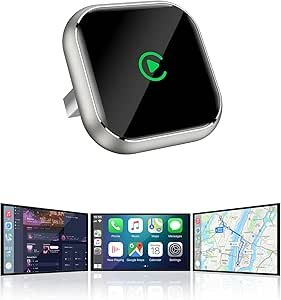
In 2026, the Wireless CarPlay Adapter has become the go-to solution for iPhone users who want to ditch the lightning or USB-C cable. Most 2026 models now feature 5.8GHz Wi-Fi transmission, which has virtually eliminated the “audio lag” that plagued earlier versions.
To use these, your car must already have factory-wired CarPlay (typically found in vehicles from 2016 onwards).
1. Top-Rated Adapters for 2026
| Model | Category | Key Feature | Best For |
|---|---|---|---|
| Ottocast A2Air Pro | Top Pick | Stable 5GHz WiFi; sub-10s boot time. | Most reliable “set and forget” experience. |
| Carlinkit 5.0 (2air) | Best Dual-Mode | Dedicated channels for both CarPlay & Android Auto. | Households with both iPhones and Androids. |
| Teeran Wireless | Best Budget | Extremely compact; 98% car compatibility. | Value-seekers who want a hidden install. |
| Ottocast Mini Cube 3.0 | Smallest Design | Almost invisible; successor to the U2W series. | Minimalist dashboards. |
| Magic Box 3.0 | Multimedia Hub | Supports Netflix & YouTube streaming. | Long road trips and watching videos while parked. |
2. What’s New in 2026 Technology?
- 32-Bit Float Connection: High-end models now ensure the handoff between your iPhone’s Bluetooth (for initial pairing) and Wi-Fi (for data) happens in under 5 seconds.
- MIMO Antenna Tech: 2026 adapters like the Jemluse Pro use multiple-input, multiple-output antennas to prevent interference in high-traffic city areas.
- Low Heat Chips: One of the biggest complaints in 2024/25 was overheating. 2026 “Upgraded” versions use 6nm chips that run cool even after 8 hours of continuous navigation.
- Firmware Over-the-Air (OTA): You no longer need to plug the adapter into a computer. Most now have a local web IP (e.g.,
192.168.50.2) where you can update the software directly from your iPhone.
3. Buying Checklist
- Check Your Port: Does your car use USB-A or USB-C? Most 2026 adapters come with a converter, but it’s best to verify.
- Verify Wired Support: Plug your iPhone in with a cable first. If CarPlay doesn’t work with a cable, a wireless adapter will not solve the problem.
- BMW & Tesla Warning: Most generic adapters do not work with BMW (which uses a different wireless-only protocol) or Tesla (which lacks native CarPlay support).
