
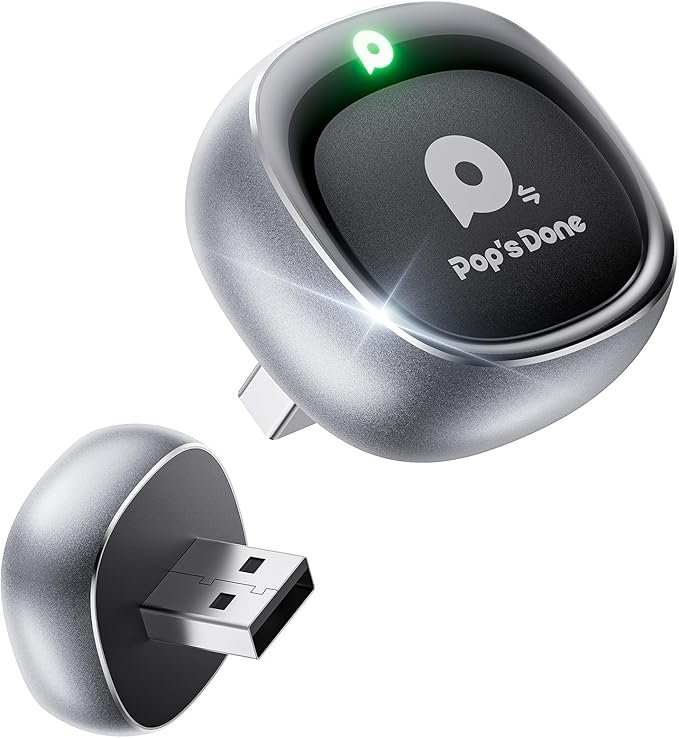
Wireless CarPlay Adapter
A Wireless CarPlay adapter is a device that enables you to connect your iPhone to your car’s infotainment system without the need for a physical USB cable. This simple yet innovative adapter transforms your existing wired CarPlay setup into a wireless experience, allowing you to enjoy all the features of Apple CarPlay, such as navigation, music streaming, calls, and text messaging, without the hassle of plugging in your phone every time you get into your car.
These adapters typically connect to your car’s USB port, and once set up, they allow your iPhone to automatically pair via Bluetooth and Wi-Fi as soon as you start the car, providing a seamless connection each time. This feature not only reduces wear and tear on your phone’s charging port but also keeps your cabin neat by eliminating the clutter of charging cables. Additionally, many wireless CarPlay adapters are compatible with a wide range of car models that already support wired CarPlay, making them an ideal upgrade for many drivers.
The setup process for most wireless CarPlay adapters is quick and easy. After plugging the device into the USB port, the adapter usually requires a one-time pairing with your iPhone. From there, it connects automatically every time you get in your car, without requiring further setup or intervention. Once connected, you’ll have access to all the familiar CarPlay features, including Google Maps, Apple Maps, Spotify, Siri, and more, all displayed on your car’s infotainment screen.
Performance-wise, the best wireless CarPlay adapters offer stable connections with minimal lag, ensuring smooth transitions between apps and seamless media playback. Some models also support fast charging for your iPhone, so even though it’s wireless, it still powers your phone during longer trips.
When choosing a Wireless CarPlay Adapter, consider the compatibility with your car’s system and your iPhone (usually iOS 12 or higher). It’s also important to look for an adapter that supports the latest software updates to ensure ongoing performance improvements and bug fixes.
