
Foldable Monitor Stand — Complete Guide to Function, Features & Choosing the Right One
A foldable monitor stand is a portable, adjustable platform designed to elevate your computer monitor (or laptop) to a more ergonomic viewing height while being compact and collapsible for storage or transport. Unlike fixed desktop monitor risers, foldable stands can be easily folded flat, transported between workstations, or stowed away when not in use — making them ideal for home offices, shared workspaces, small desks, travel setups, and multi‑device environments.
This in‑depth guide explains why monitor stands matter, key features of foldable options, how to choose the right one, setup tips, and everyday uses.
Why You Might Want a Foldable Monitor Stand
Proper monitor height and positioning can help:
- Improve posture: Align your eye level with the top third of the screen, reducing neck and upper back strain
- Reduce eye fatigue: Proper height and viewing angle help minimize glare and eye discomfort
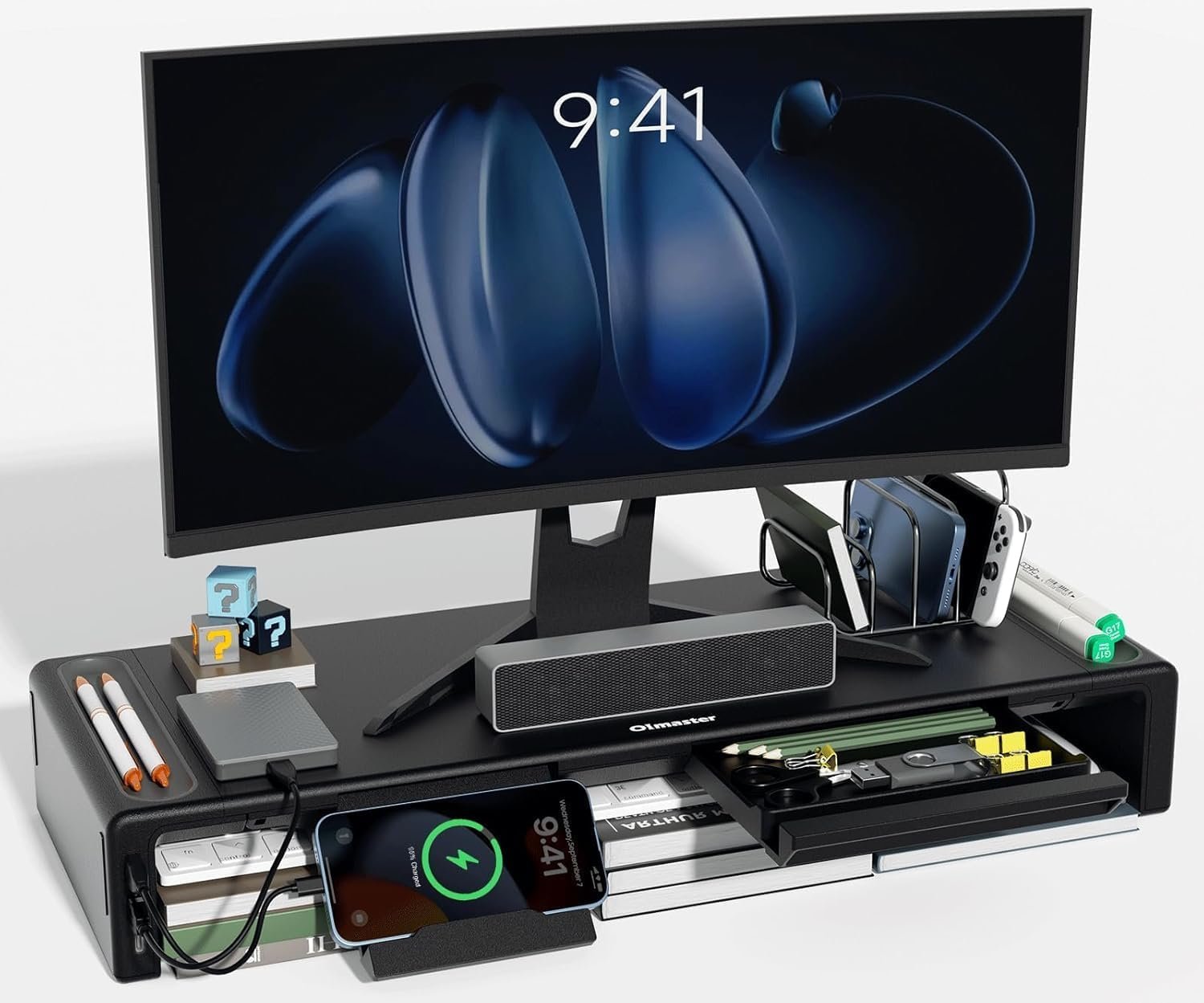
- Create desk space: Elevating the screen frees up space under the stand for storage of accessories, external drives, keyboards, etc.
- Support multiple setups: Easily move the stand between home, office, or travel setups
Foldable monitor stands add portability and flexibility to these benefits, letting you adjust and reposition your setup without permanent hardware.
How Foldable Monitor Stands Work
Foldable monitor stands can vary in design, but most have:
- Collapsible base or folding legs: Let the stand flatten for storage or travel
- Adjustable height or angle: Some models offer fixed height in folded mode, others permit multi‑level settings
- Lightweight construction: Often made of aluminum, ABS plastic, or a blend for portability
- Non‑slip pads or grips: Keep the monitor stable and protect your desk surface
Because they fold flat, these stands are ideal when desk space is limited or when you use different workspaces throughout the week.
Key Features to Look For
When choosing a foldable monitor stand, consider the following:
1. Stability and Weight Capacity
A good stand should securely support your monitor’s size and weight without wobbling. Check the maximum load rating and choose a stand that exceeds your monitor’s weight.
2. Height & Angle Adjustability
Basic stands elevate the screen to a single height. More advanced foldable stands offer:
- Multiple height levels
- Tilt or angle adjustment
Height adjustability helps you position the screen at eye level for ergonomics.
3. Material & Build Quality
Common materials include:
- Aluminum: Lightweight yet sturdy
- High‑grade plastic: Affordable and lightweight
- Composite blends: Balance strength and portability
Look for robust construction that doesn’t feel flimsy when unfolded.
4. Foldability & Portability
Consider how the stand folds:
- Flat folding: Collapses into a slim profile for storage under shelves or in bags
- Swing‑arm style: Folds into a compact stack
- Detachable legs: Some models let you remove supports entirely
Evaluate how easy it is to fold/unfold and how compact it becomes.
5. Surface Protection
Non‑slip rubber pads or silicone grips on the top platform and the feet keep:
- Your monitor from sliding
- The desk surface from scratches
6. Cable Management
Some stands include built‑in channels or hooks for routing cables, helping keep your workspace tidy.
7. Compatibility
Make sure the stand’s platform size fits your monitor or laptop base. Some are wide enough for dual screens; others are compact for single screens only.
Everyday Uses and Setups
Foldable monitor stands fit in a variety of scenarios:
Home Office
Use a stand to raise your monitor to eye level, paired with an external keyboard and mouse for improved ergonomics.
Shared Workstations
Fold and store the stand when not in use, or take it between rooms or desks.
Travel & Remote Work
Pack the stand in a backpack or laptop bag to create a comfortable setup in temporary workspaces, coworking facilities, or client sites.
Laptop Stand + Monitor Combo
Some foldable stands support laptops and an external monitor simultaneously, turning a small desk into a functional dual‑screen setup.
Multi‑Monitor Desk
If you have more than one screen, choose a longer or more robust foldable stand that can support two monitors side by side.
How to Position Your Monitor for Comfort
To reduce strain and improve comfort:
- Place the top of the monitor at or slightly below eye level
- Position the screen about an arm’s length away
- Tilt the screen slightly upward (10–20 degrees)
- Align the monitor center with your sitting or standing position
A foldable stand helps you achieve these alignments without permanent desk modification.
Setup and Installation Tips
Most foldable monitor stands are tool‑free and intuitive:
- Unfold the stand and lock legs into position
- Place the stand where you normally work
- Set your monitor onto the platform
- Connect cables and adjust the stand’s height/angle
- Confirm stability: Ensure the base is flat and pads/grips are engaging the surface
If your stand has adjustable height or angle, make seasonal or task‑based adjustments as needed.
Pros and Cons of Foldable Monitor Stands
Pros
- Highly portable and easy to store
- Improves ergonomics and posture
- Frees up desk space
- Works with multi‑location setups
- Quick setup and no permanent installation
Cons
- May not offer as many adjustment options as premium ergonomic arms
- Some light‑duty models may feel less stable with heavy monitors
- Mechanisms vary in durability — stronger materials tend to last longer
Style and Aesthetic Considerations
Foldable stands are available in a range of finishes:
- Silver or brushed aluminum: Sleek and modern
- Black minimalist designs: Stealthy and office‑friendly
- White or colored accents: For creative or home setups
Choose a finish that complements your desk, monitor, and workspace style.
Final Thoughts
A foldable monitor stand is a smart investment for anyone who wants ergonomic comfort, easy portability, and efficient use of desk space without permanent hardware. It’s especially well‑suited for:
- People who work in multiple locations
- Compact desktop environments
- Travelers and mobile professionals
- Anyone looking to improve posture and reduce neck strain
When choosing one, focus on stability, adjustability, portability, and compatibility with your hardware. With the right stand, you’ll enjoy a more comfortable, organized, and productive workspace — wherever you work.
If you’d like, I can help you pick a specific foldable monitor stand recommendation based on your monitor size, weight, and how you plan to use it (home office, travel, dual screens, etc.). Just let me know!
