
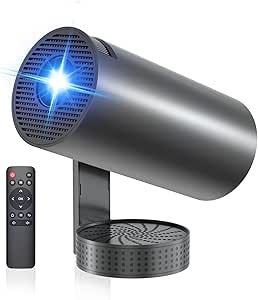
Mini Projector with 4K Support — Complete Guide
A mini projector with 4K support lets you enjoy high-resolution video content on a big projected screen from a compact, portable device. These projectors are popular for home cinema, outdoor movie nights, gaming, travel, or presentations. However, it’s important to understand what “4K support” really means in a mini projector and how image quality is affected by factors like resolution, brightness, and processing.
What “4K Support” Means
Many mini projectors marketed as “4K supported” do not actually have native 4K display panels. Instead they fall into two broad categories:
1. 4K Input and Downscaling / Decoding
Most affordable mini projectors can accept a 4K video signal from a streaming device, laptop, or console, then downscale or decode that 4K content to the projector’s native resolution (often 1080p or 720p). This means the projector still benefits from the detail and color data in the 4K source, but it isn’t displaying every pixel natively at 3840 × 2160.
2. Pixel-Shifted or Enhanced 4K
Some models use pixel-shifting or image-processing technologies that move pixels rapidly to simulate a higher resolution than their actual imaging chip can produce. This can improve perceived detail without true native 4K hardware.
True native 4K projection — where the projector’s imaging chip itself has 3840 × 2160 resolution — is uncommon in very small projectors because of physical size and heat constraints of the imaging chips. Native 4K is usually found in larger, more expensive home cinema projectors.
Resolution vs. Perceived Image Quality
A projector’s native resolution determines how many pixels it physically displays. A projector with native 1080p (1920 × 1080) that supports 4K input will often look sharper and clearer than a basic HD projector, because it is processing a higher-quality video source before scaling it down. However, the image will not be as detailed as true native 4K.
In practice, many users find that pixel-shifted or downscaled 4K content still looks noticeably better than content from projectors that neither accept 4K input nor upscale it, especially when viewed from typical seating distances where fine pixel differences are less visible.
Important Factors Beyond “4K Support”
The perceived quality of a mini projector image depends on more than just resolution or 4K support:
Brightness (Lumens)
Projector brightness, often measured in ANSI lumens, affects how well the image stands out in real environments with ambient light. Higher lumen ratings mean the projector can better handle not-perfectly-dark rooms. Mini projectors are often rated in LED or lux values, which can be misleading, so always check ANSI lumens if possible for fair comparison.
Contrast Ratio
A high contrast ratio means deeper blacks and more detailed shadow detail, which helps make projected content look more vibrant. A projector that processes 4K content well but has poor contrast may still look flat or washed out.
Throw Distance and Screen Size
Mini projectors can often project large images from short distances, but larger images may look dimmer or softer if the projector lacks brightness or resolution. Consider how far from the wall or screen you’ll place the projector when evaluating performance.
Smart Features and Connectivity
Wi-Fi streaming, Bluetooth audio, HDMI inputs, USB, and support for wireless casting or Android/Smart TV platforms add convenience. Some mini projectors also include keystone correction and auto-focus to help with setup.
Typical Use Cases
Casual Home Viewing
Mini projectors with 4K support work well for streaming movies or shows from devices that output 4K. Downscaled 4K still looks better than standard definition if the native resolution is at least 1080p.
Outdoor or Dark Room Viewing
These environments let projectors shine (literally) because the lack of bright ambient light maximizes perceived detail and color.
Gaming and Presentations
Gaming consoles and PCs can benefit from 4K input support, but remember that most mini projectors accept the signal and scale it rather than showing full native 4K detail.
Summary
A mini projector with 4K support typically means the projector can accept and process 4K source material and then either downscale it to its native resolution or use pixel-shifting to enhance detail. True native 4K projectors are rare at small sizes due to the constraints of imaging chips.
When choosing such a projector, pay attention not just to “4K support,” but also to brightness (ANSI lumens), contrast, native resolution, connectivity, and smart features to ensure a satisfying viewing experience in your intended environment.
In summary, “4K support” in mini projectors is often more about how well the device processes high-resolution content rather than producing full native 4K detail — and understanding this will help you set realistic expectations for picture quality and performance.
