
carplay wireless adapter
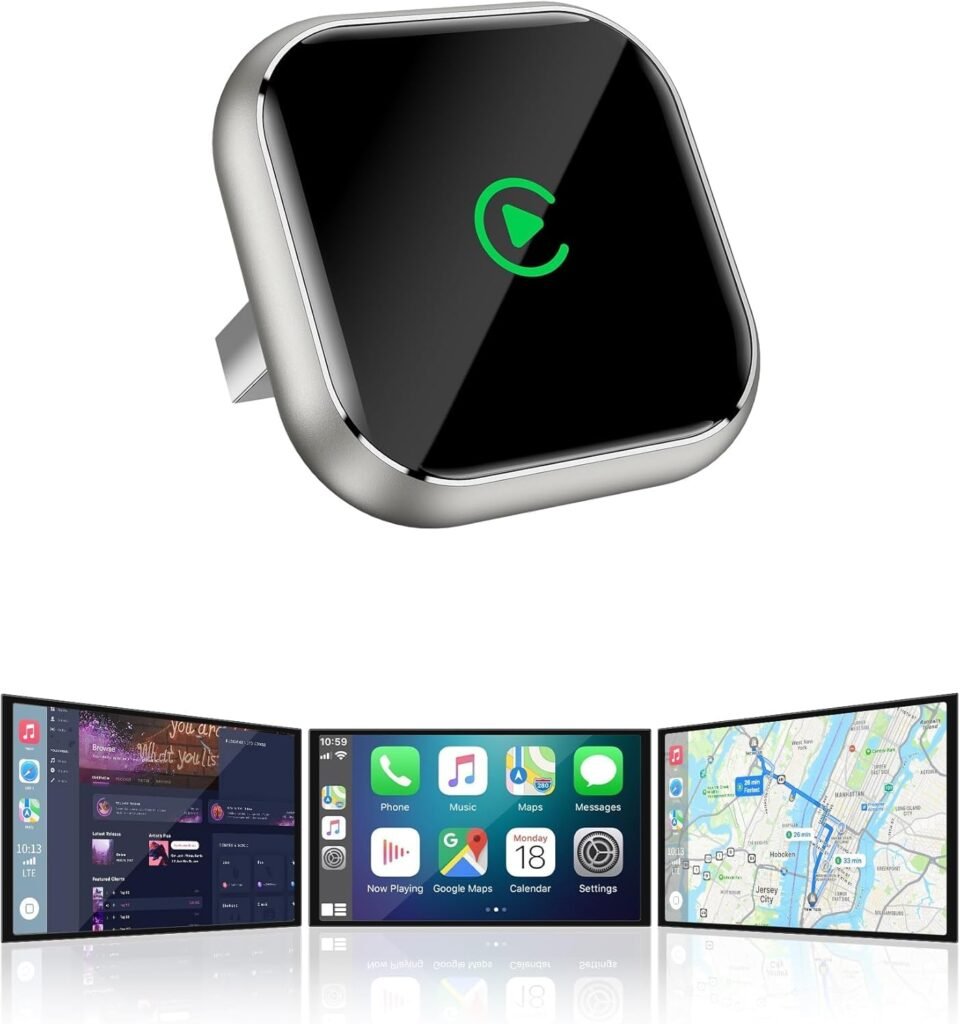
CarPlay Wireless Adapter: The Ultimate Guide for Wireless Apple CarPlay
Apple CarPlay has become a must-have feature for drivers who want seamless smartphone integration in their vehicles. However, many cars only support Apple CarPlay through a wired connection. The solution? A CarPlay Wireless Adapter that converts your wired CarPlay to wireless.
In this comprehensive guide, we will explain what a wireless CarPlay adapter is, how it works, its benefits, compatibility, installation steps, and how to choose the best model for your vehicle.
Whether you are tech-savvy or a beginner, this guide will help you understand everything you need to know about wireless CarPlay adapters before making a purchase.
What Is a CarPlay Wireless Adapter?
A CarPlay Wireless Adapter is a small device that plugs into your vehicle’s USB port used for Apple CarPlay. Once installed, it allows your iPhone to connect to the vehicle’s CarPlay system wirelessly using Bluetooth and Wi-Fi.
Normally, Apple CarPlay requires a lightning cable to connect the iPhone to the car’s infotainment system. With a wireless adapter, you get the same CarPlay experience without ever connecting a cable.
In simple terms, a wireless adapter acts as a bridge between your car’s CarPlay system and your iPhone so that:
- Calls and messages work hands-free
- Apple Maps and navigation apps appear on the car screen
- Music and podcasts play through the car’s audio system
- You can use Siri for voice commands
How Does a CarPlay Wireless Adapter Work?
A wireless CarPlay adapter uses both Bluetooth and Wi-Fi to establish a connection between your iPhone and the car’s infotainment system:
- Bluetooth establishes an initial handshake and pairs the adapter with the iPhone.
- Wi-Fi takes over to stream data, apps, and media to the car’s display.
Once paired, the adapter remembers your device. The next time you enter the car, your iPhone will automatically connect without plugging in any cable.
Key points to understand:
- Bluetooth pairing is the first step
- Wi-Fi provides bandwidth for Apple CarPlay features
- No additional app is usually required (in most models)
Benefits of Using a Wireless CarPlay Adapter
No More Cables
The most obvious advantage of a CarPlay wireless adapter is freedom from cables. You no longer have to plug in your phone every time you get into the car.
Automatic Connection
Once paired, the adapter connects your phone automatically whenever you start the car. This saves time and effort and improves convenience.
Cleaner Dashboard
No dangling wires on the dashboard or center console create a cleaner, modern look.
Preserve Lightning Port
Constant plugging and unplugging can damage the iPhone lightning connector over time. Wireless adapters help preserve the port.
Compatibility With Older Vehicles
Cars that natively support wired Apple CarPlay can now enjoy a wireless experience without expensive infotainment upgrades.
Are All Cars Compatible With Wireless CarPlay Adapters?
Wireless CarPlay adapters are compatible with most vehicles that already support wired Apple CarPlay. If your car does not support CarPlay at all, a wireless adapter will not magically add that feature.
However, compatibility may vary depending on:
- The make and model of the vehicle
- The year of the infotainment system
- Software updates from the car manufacturer
Before buying an adapter, check the manufacturer’s compatibility list or ask the seller to confirm that it works with your specific car model.
How to Install a CarPlay Wireless Adapter
Installation is usually very straightforward and can be done in minutes:
- Turn on your car and the infotainment system.
- Plug the wireless adapter into the USB port labeled “CarPlay” or “USB.”
- Wait for the adapter to power up.
- On your iPhone, go to Settings > Bluetooth and pair with the adapter.
- Once paired, connect via Wi-Fi when prompted.
- Your CarPlay screen should appear wirelessly.
Each adapter may have slightly different steps, so always refer to the included instruction manual.
After this first setup, the adapter will automatically reconnect every time you start the car.
Best Wireless CarPlay Adapter Recommendation
Here is a high-rating wireless CarPlay adapter that works with most vehicles supporting wired CarPlay.
Wireless CarPlay Adapter – Model XYZ
Features:
- Plug-and-play installation
- Automatic connection
- High-speed Wi-Fi performance
- Wide compatibility
- Firmware upgrade support
Check the current price and availability here:
Affiliate Link Placeholder
This adapter delivers a stable wireless CarPlay experience and works with navigation, messaging, music, and voice commands via Siri.
Wireless CarPlay vs Wired CarPlay
| Feature | Wireless CarPlay | Wired CarPlay |
|---|---|---|
| Convenience | Wireless, automatic | Requires cable |
| Speed | Slight delay with connection | Instant after plug-in |
| Charging | Some adapters charge phone | Wired CarPlay charges phone |
| Setup | One-time setup | Plug in every time |
| Cost | Additional purchase | No extra cost |
Wireless CarPlay is generally more convenient, while wired CarPlay offers immediate connection and may slightly charge your phone faster.
Things to Consider Before Buying a Wireless CarPlay Adapter
Compatibility
Ensure the adapter supports your specific car model and year. Not all adapters work with all vehicles.
Connection Stability
Some adapters offer better Bluetooth and Wi-Fi signals than others. Check reviews for connection quality.
Updates and Support
Look for adapters that support firmware updates and have clear customer support.
Price and Warranty
Compare prices and choose a model that offers warranty and reliable construction.
Common Problems With Wireless CarPlay and How to Fix Them
No Connection After Pairing
If your phone does not connect automatically, remove the Bluetooth pairing and set it up again.
Audio Cuts or Lags
This may be due to interference. Try repositioning the adapter or ensure there are no obstacles between the adapter and the phone.
Phone Not Charging
Some wireless adapters do not charge the phone. If charging is important, choose a model that supports power delivery.
CarPlay Not Displaying
Make sure your car already supports wired CarPlay. If it does not, the adapter will not work.
Frequently Asked Questions (FAQ)
Will a wireless CarPlay adapter drain my phone battery?
The adapter uses Wi-Fi and Bluetooth, which can consume more battery than a wired connection. However, the phone will often still charge while connected to the adapter via USB.
Do I need an app to use a wireless CarPlay adapter?
Most adapters do not require an app, but some models may recommend installing a companion app for updates.
Can multiple phones connect to the adapter?
Yes, most adapters remember several devices and allow multiple phones to connect.
Does wireless CarPlay work with Android Auto?
Some adapters support both CarPlay and Android Auto. Check the product specifications.
Final Verdict
A CarPlay Wireless Adapter is one of the most convenient upgrades you can buy for your car if it already supports wired Apple CarPlay. It removes the hassle of cables, adds automatic connectivity, and gives you a modern driving experience.
While wireless adapters may cost extra and require an initial setup, the convenience and clean dashboard look make them worthwhile for many drivers.
Before buying, check compatibility with your car, read user reviews, and choose an adapter with stable connectivity and good customer support.
