
PANACARE Blood Pressure Monitor
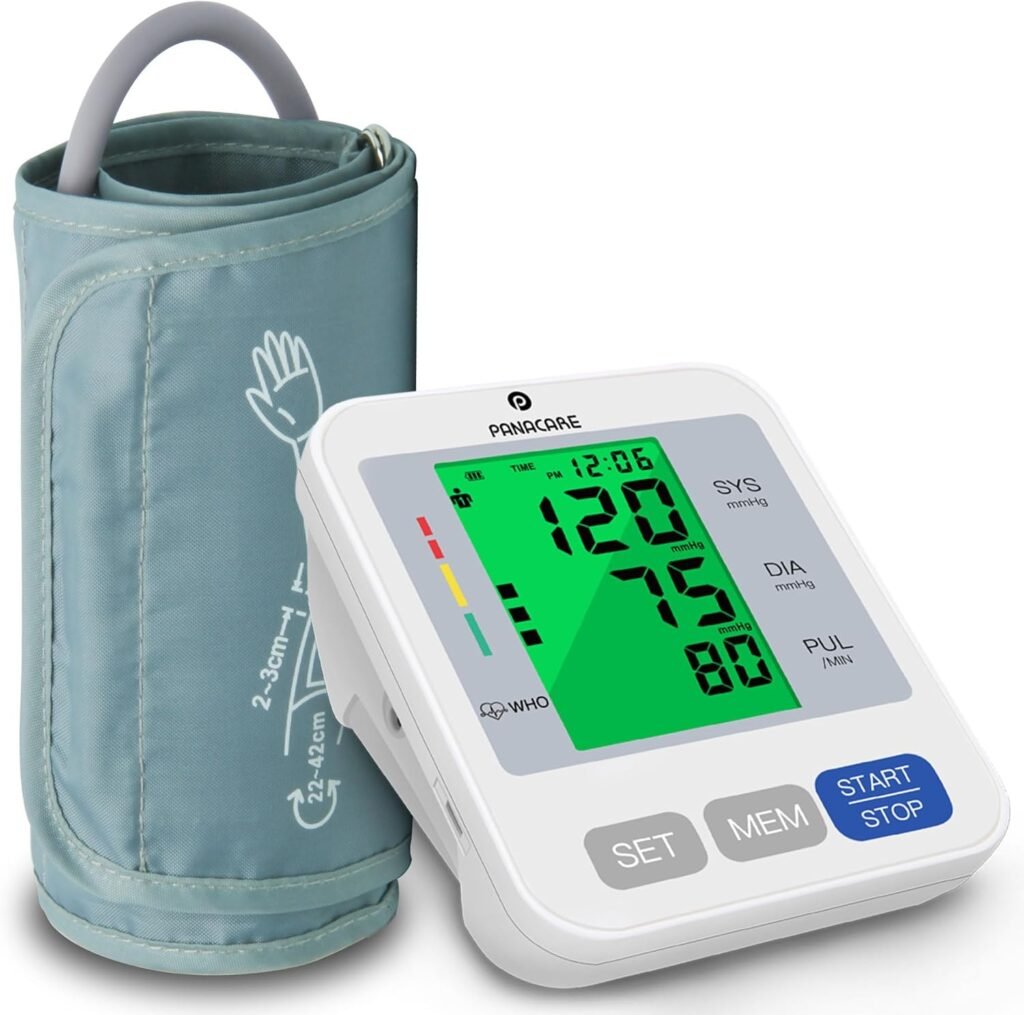
PANACARE Blood Pressure Monitor: Easy and Accurate Home Health Tracking
Maintaining good cardiovascular health starts with regular monitoring, especially if you or loved ones are managing hypertension, heart conditions, or general wellness goals. The PANACARE Blood Pressure Monitor is a user‑friendly device designed for home use, combining automatic operation with helpful features like large display readings and memory tracking. It’s ideal for adults, seniors, and anyone who prefers consistent health tracking without frequent clinic visits.
Why Choose the PANACARE Blood Pressure Monitor?
The PANACARE Blood Pressure Monitor simplifies at‑home health checks with intuitive features that make measurement quick and informative:
Fully Automatic Operation
With just one button press, the device inflates and deflates automatically, giving your systolic and diastolic pressure along with your pulse rate in about 30 seconds.
Large Tri‑Color Backlit Display
The large 3.4‑inch LCD screen displays readings in big numbers that are easy to read — even in low light. A tri‑color backlight provides visual context at a glance:
- Green: Normal blood pressure
- Yellow: Mild to moderate hypertension
- Red: High blood pressure alert
Voice Reading Feature
An integrated audio function can read your results aloud, which is especially helpful for elderly users or those with visual difficulties.
Dual‑User Memory
This monitor supports two users and stores up to 198 readings per person along with date and time, helping you track health trends over weeks or months.
Comfortable and Adjustable Cuff
The extra‑long cuff fits upper arm sizes from about 8.7 to 16.5 inches, suitable for most adults, and offers a more comfortable and accurate measurement experience.
Who Is It Best For?
The PANACARE Blood Pressure Monitor is well‑suited for:
- Adults monitoring blood pressure regularly at home
- Seniors who need easy‑to‑read displays and voice feedback
- Families wanting historical health tracking for multiple users
- Anyone who prefers automatic, quick measurements without manual effort
Pros & Cons
Pros
- Large, easy‑to‑read backlit display
- Simple one‑button automatic measurement
- Voice reading feature for accessibility
- Dual user memory for health tracking
- Adjustable cuff fits a wide range of arm sizes
Cons
- Some users report cuff inflation discomfort
- Mixed feedback on consistent accuracy in some units
How to Use It
- Sit comfortably with your arm relaxed.
- Wrap the cuff around your upper arm (about an inch above the elbow).
- Press the Start/Stop button — the device will inflate and measure automatically.
- View your systolic, diastolic, and pulse rate readings on the screen.
- Use the MEM button to review past measurements.
Tips for Best Home Monitoring
- Take readings at the same time each day for more consistent tracking.
- Avoid caffeine, exercise, or talking during measurement.
- Maintain proper cuff placement — seated posture and resting arm level improve accuracy.
- Track trends over time instead of focusing on single results.
Conclusion
The PANACARE Blood Pressure Monitor offers reliable at‑home blood pressure tracking with features that are both accessible and practical for everyday users. Its large backlit display, voice feedback, and dual user memory make it especially helpful for families and seniors. While some variability in cuff comfort and readings has been reported, its user‑friendly design and monitoring capabilities make it a compelling option for health‑conscious individuals.
