
Wireless Carplay Devices
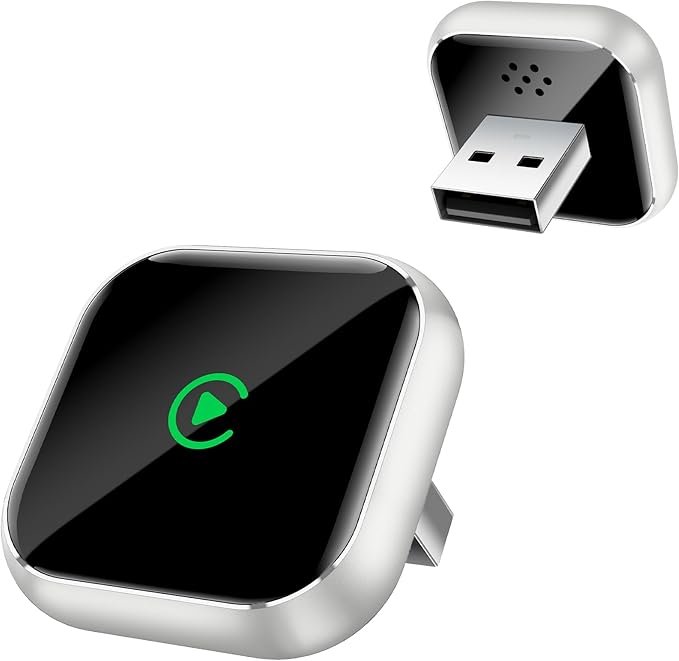
Wireless CarPlay Devices for Car & Vehicle: The Ultimate Upgrade for Your Driving Experience
Apple’s CarPlay has revolutionized the way we interact with our vehicles, offering a smarter and safer driving experience by integrating your iPhone with your car’s infotainment system. While many cars offer wired CarPlay, wireless CarPlay is quickly becoming the preferred choice due to the freedom and convenience it offers. With wireless CarPlay devices available on the market, you can upgrade almost any vehicle’s infotainment system to support wireless connectivity, allowing you to access apps, music, navigation, and messages without the hassle of plugging in your phone every time you get in the car.
In this guide, we’ll explore the benefits, features, and top wireless CarPlay devices for your car or vehicle.
What is Wireless CarPlay?
Wireless CarPlay is an upgraded version of the traditional wired CarPlay system that allows you to connect your iPhone to your car’s infotainment system without the need for a USB cable. This wireless connection is made possible via Bluetooth and Wi-Fi, enabling you to access your phone’s apps and features directly through your car’s screen.
With wireless CarPlay, your car can automatically connect to your iPhone as soon as you start the engine, providing hands-free convenience. No need to fumble with cables or connect manually – just get in and go.
Key Benefits of Wireless CarPlay
1. Convenience and Freedom
- No cables: Say goodbye to the clutter of wires in your car. Wireless CarPlay eliminates the need for constantly plugging and unplugging your phone.
- Automatic connection: Once set up, your iPhone connects automatically to your car as soon as you start the engine, making it more convenient and less distracting.
2. Enhanced Safety
- Hands-free control: With voice control through Siri, you can make calls, send texts, get navigation directions, and control music without ever taking your hands off the wheel.
- Focus on driving: By using wireless CarPlay, you can avoid the distraction of plugging in cables and focusing on connecting your device, allowing you to stay focused on the road.
3. Streamlined Navigation
- Maps & GPS: Whether you’re using Apple Maps, Google Maps, or Waze, wireless CarPlay provides seamless navigation integration on your car’s screen. It also provides real-time traffic updates and rerouting options.
- Hands-free voice navigation: Using Siri, you can ask for directions without touching the screen, which helps reduce distractions while driving.
4. Access to Apps and Media
- Wireless CarPlay allows you to access compatible apps directly on your car’s display. This includes music apps like Apple Music, Spotify, Pandora, and Podcasts. You can also control your phone’s text messages and calls.
- Entertainment on the go: Stay connected with your favorite apps without needing to rely on your phone, keeping the car’s display focused on driving-related tasks.
5. Less Cable Clutter
- No more tangled or frayed cables in your vehicle. A cleaner setup makes your car’s interior look tidier, reducing the mess that comes from constantly plugging in your phone.
Top Wireless CarPlay Devices for Your Car
If your car doesn’t come with built-in wireless CarPlay, don’t worry! There are several third-party wireless CarPlay adapters and head units that can upgrade your vehicle’s system.
1. CPlay2Air Wireless CarPlay Adapter
- Features:
- Easily adds wireless CarPlay to cars with wired CarPlay support.
- Plug-and-play installation (simply plug it into the USB port of your car).
- Stable wireless connection via Wi-Fi (no Bluetooth interference).
- Supports iPhone 5 and later, including the latest iOS updates.
- Best For: Drivers looking to add wireless CarPlay functionality to their existing wired CarPlay system without changing the head unit.
- Price Range: Mid-range.
2. CarLinkit 3.0 Wireless CarPlay Adapter
- Features:
- Compatible with most cars that have wired CarPlay functionality.
- Offers a fast and stable wireless connection with minimal lag.
- Plug-and-play: No complex installation process.
- Supports iOS devices from iPhone 5 to the latest models.
- Best For: Those who want a straightforward, reliable solution to upgrade their wired CarPlay to wireless.
- Price Range: Mid-range to affordable.
3. Anker Roav VIVA Pro Wireless CarPlay
- Features:
- Integrates seamlessly with your vehicle’s existing CarPlay system for wireless functionality.
- Includes voice control with Alexa and Siri.
- Voice-activated control of music, navigation, and phone calls.
- Easy-to-use interface with built-in USB ports for charging.
- Best For: Users who want a combination of wireless CarPlay and added Alexa capabilities for even more control over their vehicle’s system.
- Price Range: Mid-range.
4. JoyeAuto Wireless CarPlay Adapter
- Features:
- Supports iPhone 5 and newer models.
- Plug-and-play installation with a direct connection via USB.
- Offers a stable wireless CarPlay connection with no lag.
- Compatible with most vehicles with wired CarPlay systems.
- Best For: Drivers who want a simple and easy solution to convert wired CarPlay to wireless.
- Price Range: Affordable.
5. Pioneer AVH-W4500NEX (Head Unit)
- Features:
- Fully supports wireless CarPlay right out of the box.
- 6.94-inch touchscreen with Bluetooth, HD radio, and HDMI compatibility.
- Android Auto and SiriusXM compatibility.
- Integrated with Amazon Alexa for added convenience.
- Supports Bluetooth hands-free calls and audio streaming.
- Best For: Those looking for a complete head unit upgrade that includes wireless CarPlay along with many additional features for a fully integrated in-car entertainment system.
- Price Range: Premium.
How to Install a Wireless CarPlay Device
For Wireless CarPlay Adapters:
- Plug the device into the USB port in your vehicle that supports wired CarPlay.
- Pair the device with your iPhone using Bluetooth and Wi-Fi.
- Follow the on-screen instructions on your car’s infotainment system to complete the setup.
- Once connected, your iPhone will automatically connect to the device when you start the car, enabling wireless CarPlay.
For Wireless CarPlay Head Units:
- Replace your car’s old stereo with the new head unit.
- Install the head unit following the manufacturer’s instructions, or consult a professional installer if you’re not familiar with car audio systems.
- Pair your iPhone with the head unit using Bluetooth or the built-in wireless CarPlay setup.
- Enjoy the seamless wireless CarPlay experience!
Key Considerations When Choosing a Wireless CarPlay Device
- Compatibility:
- Ensure that the device is compatible with both your car’s infotainment system and your iPhone. Some devices work exclusively with wired CarPlay, while others work with a variety of vehicles and smartphones.
- Ease of Installation:
- Wireless CarPlay adapters are typically plug-and-play, meaning they’re easy to install. However, if you’re opting for a new head unit, installation may require professional help.
- Stability and Connectivity:
- Look for devices with stable connections, ideally Wi-Fi rather than relying solely on Bluetooth. This helps reduce lag and ensures a smoother experience when accessing apps or using navigation.
- Features:
- Consider what other features you want, such as voice control, integration with Alexa, or navigation updates. Some systems offer premium features that enhance your overall in-car experience.
Conclusion
Upgrading your car with a Wireless CarPlay device is one of the best ways to enhance your driving experience. Whether you’re looking for a simple adapter to convert your wired CarPlay system to wireless or a complete head unit upgrade, there are plenty of options to suit your needs and budget.
The ability to access maps, music, texts, and calls without fumbling with cables makes your drives more enjoyable, safer, and more convenient. No more worries about tangled cables or forgetting to plug in your phone – just get in the car and let the technology work for you.
Ready to make the switch to wireless CarPlay? Explore the options above and enjoy a more connected, hands-free driving experience.
